Background sound for older version of mac os

Key Takeaways
Older macOS versions lack native background audio features found in modern releases. This guide outlines how to bridge this functionality gap using the ‘Background Music’ utility. By leveraging Homebrew for installation and configuring intelligent auto-pause triggers, users can implement a dynamic audio environment that seamlessly manages competing system sounds.
- Native background sound management is absent in pre-Ventura macOS versions, necessitating third-party utilities like the open-source ‘Background Music’ app.
- Efficient deployment can be achieved via Homebrew using the
brew install --cask background-musiccommand for automated installation. - The utility provides intelligent audio ducking, automatically pausing background streams when secondary applications trigger sound to prevent audio layering.
- Persistence across system restarts requires manual registration in ‘Login Items’ within System Preferences to maintain background service availability.
Background sound is a feature that allows you to play music in the background while you are using other apps. Older version of Mac OS does not have this feature by default. In this article, I will show you how to turn on background sound on Mac OS (for older version).
For new version of Mac OS (Ventura and above), use this guide.
For mac OS (for older version)
We need to download a third-party app called Background Music on Mac OS (for older version). Follow the steps below to set it up.
Install using Homebrew.
brew install --cask background-music
If you don’t have Homebrew installed, you can install it by following the instructions on the Homebrew website.
- You can just run the app from the Applications folder, but you’ll probably want to set it to start automatically when you log in. You can do that by opening System Preferences and going to Users & Groups > Login Items. Click the + button and select Background Music.app.
Auto-pause music when you use other apps
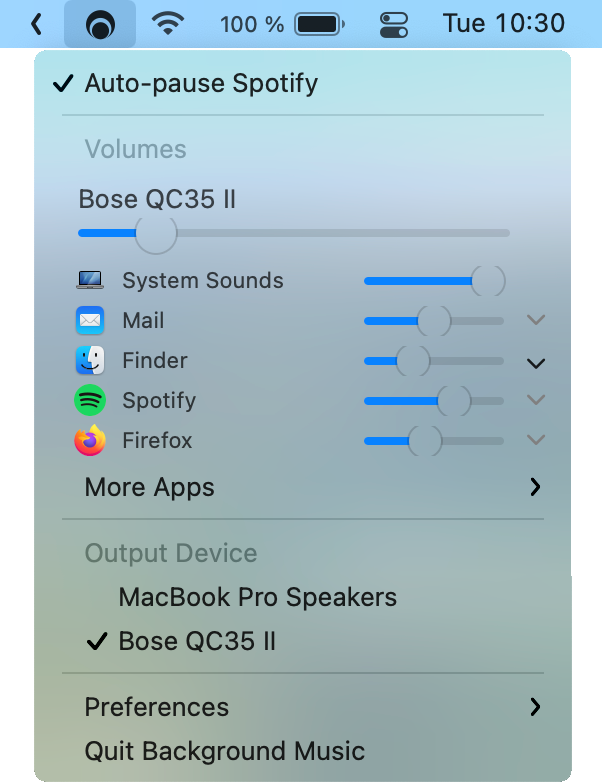
Background Music automatically pauses your music player when a second audio source is playing and unpauses the player when the second source has stopped. This is useful if you want to listen to music while you’re using other apps, but don’t want to have to pause and unpause your music player every time you switch apps.
Related Technical Insights




You may also like
See all Web DevHow to download the data from URL using Javascript

Comparing two array in javascript
Ultimate list of free web hosting in 2023